Monthly subscription
29 JOD per month
14-day free trial
- 1 branch
- 1 tablet
- 5 staff seats
- 8 campaigns / month
- Messaging fees not included
Includes
- Loyalty & visits
- Campaigns & messaging
- Coupons
- Core analytics

Loyalty for local businesses in Jordan
A tablet on your counter checks customers in by phone number, and your cashier confirms the purchase from their phone. Gifts and points only count after that confirmation, and messages only reach people who said yes.
Wafii is in its first launch phase, working with a small number of businesses in Jordan.
The in-store journey
Every step is clear to the customer and the cashier. Nothing counts until a staff member confirms a real purchase.
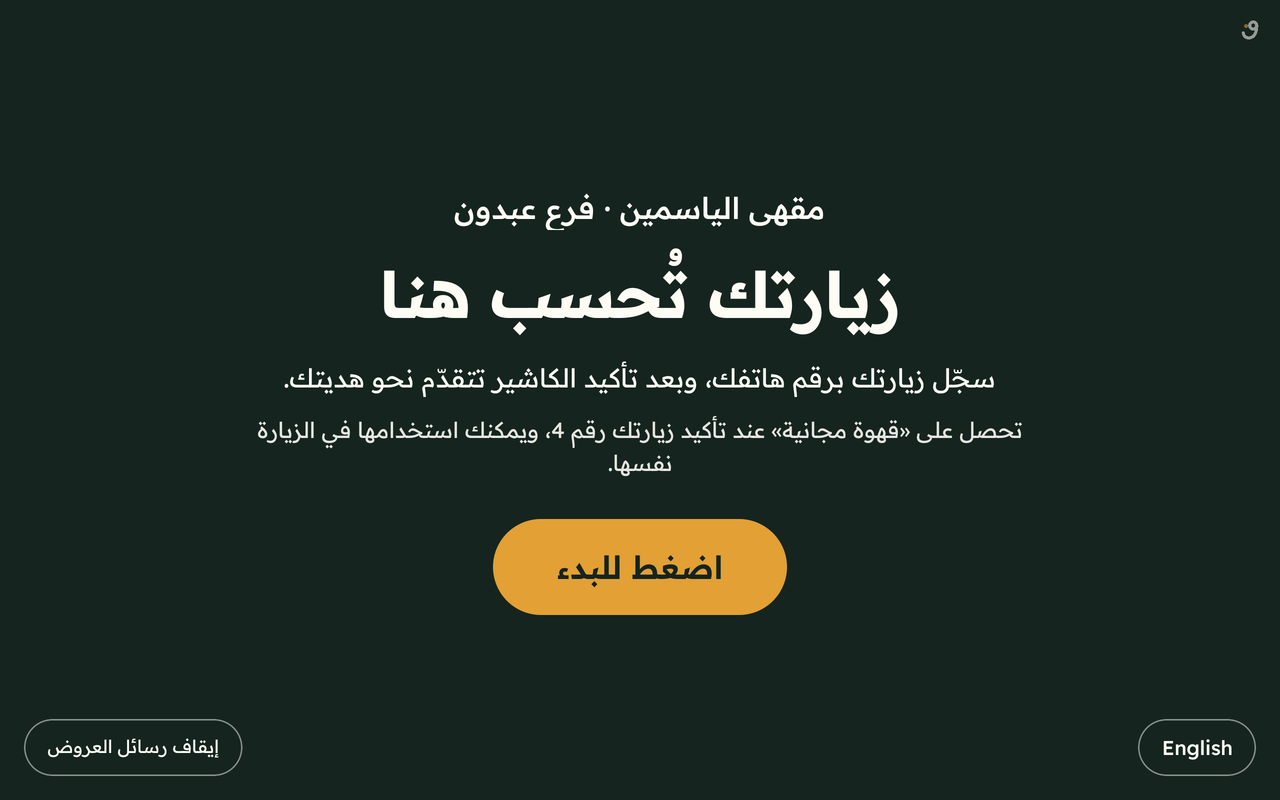
A tablet on the counter shows your name and your programme. One tap to begin.
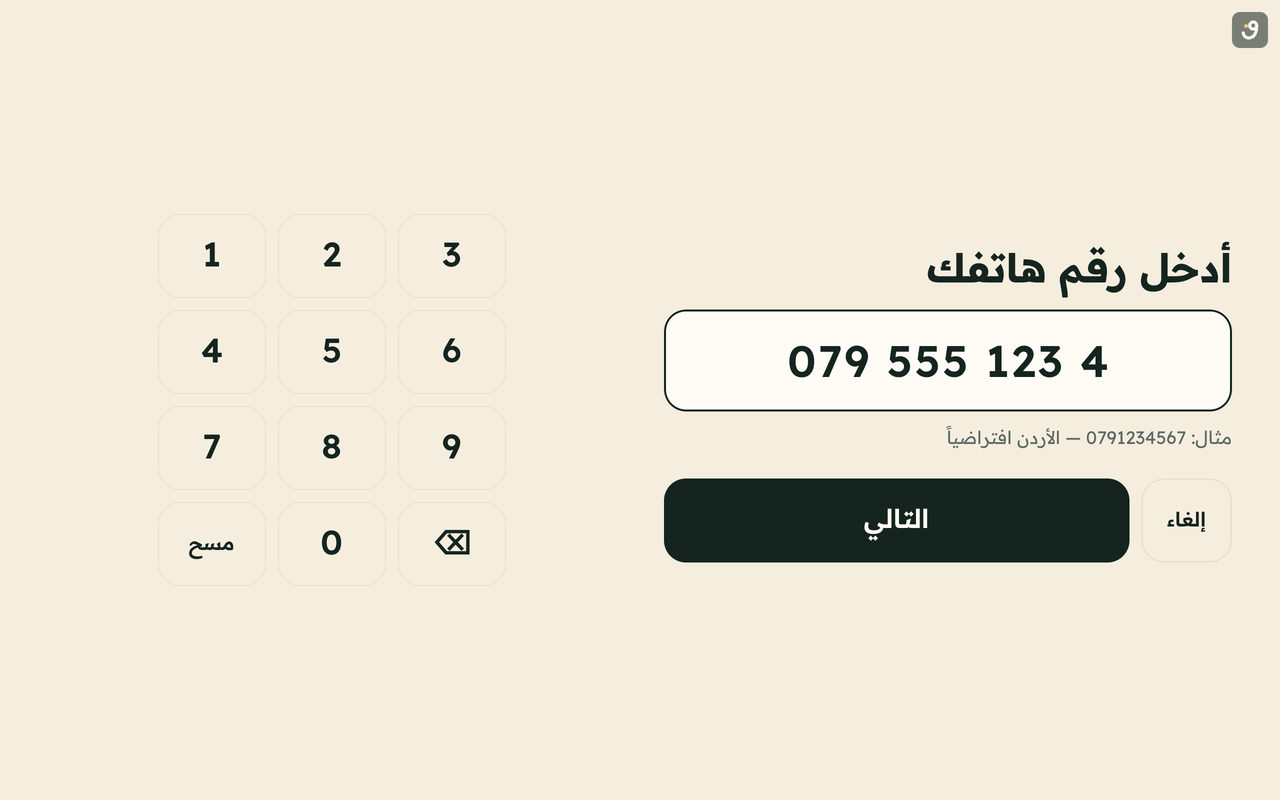
Jordanian numbers are the default (07…); international numbers work too.
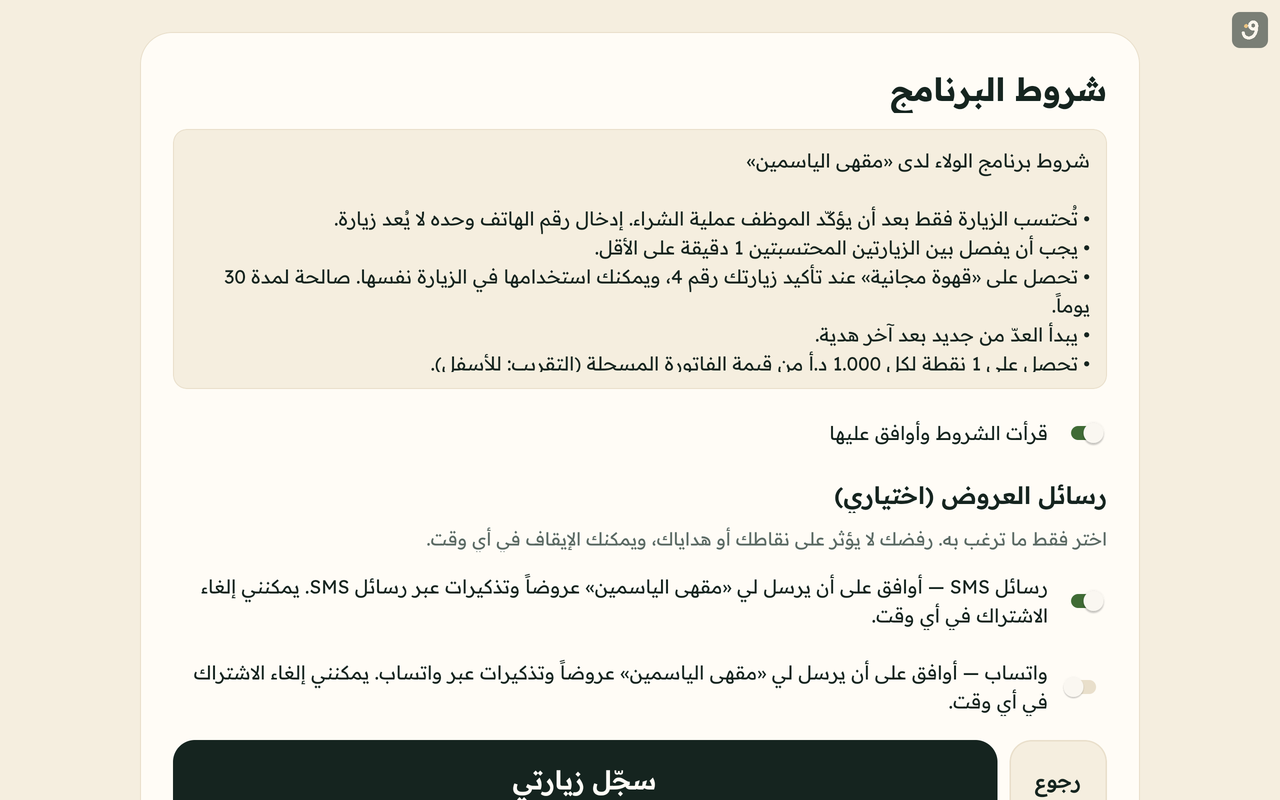
New customers give their first name and accept the programme terms, which include receiving offers by SMS and WhatsApp. The offers are part of the deal: they are how members get gifts and discounts.
The request shows as pending. A phone number on its own is not a visit.
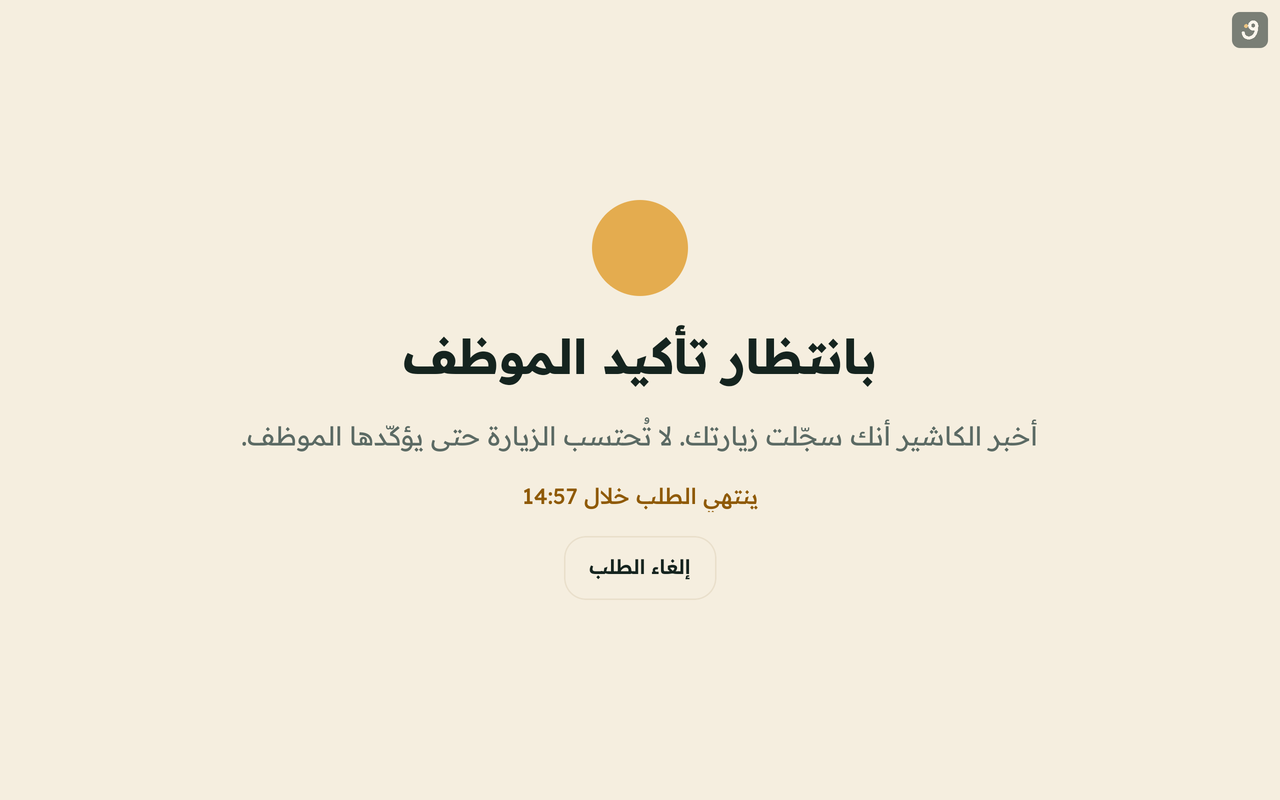
The staff member on shift in that branch is alerted in the Wafii Business app.
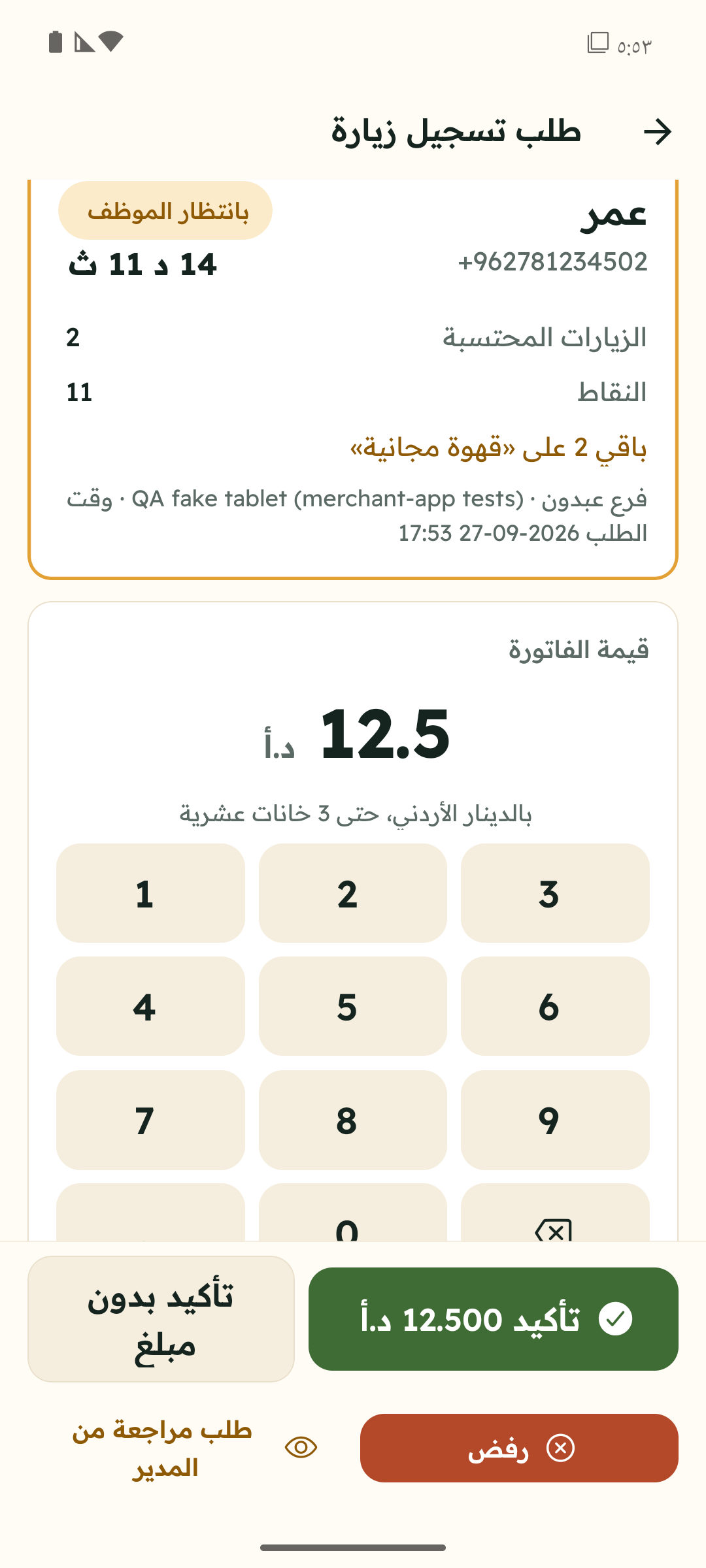
They type the bill amount (if your programme uses it) and confirm. No purchase? One tap to reject.
The customer sees the visit counted and how far they are from the next gift, or their points balance.
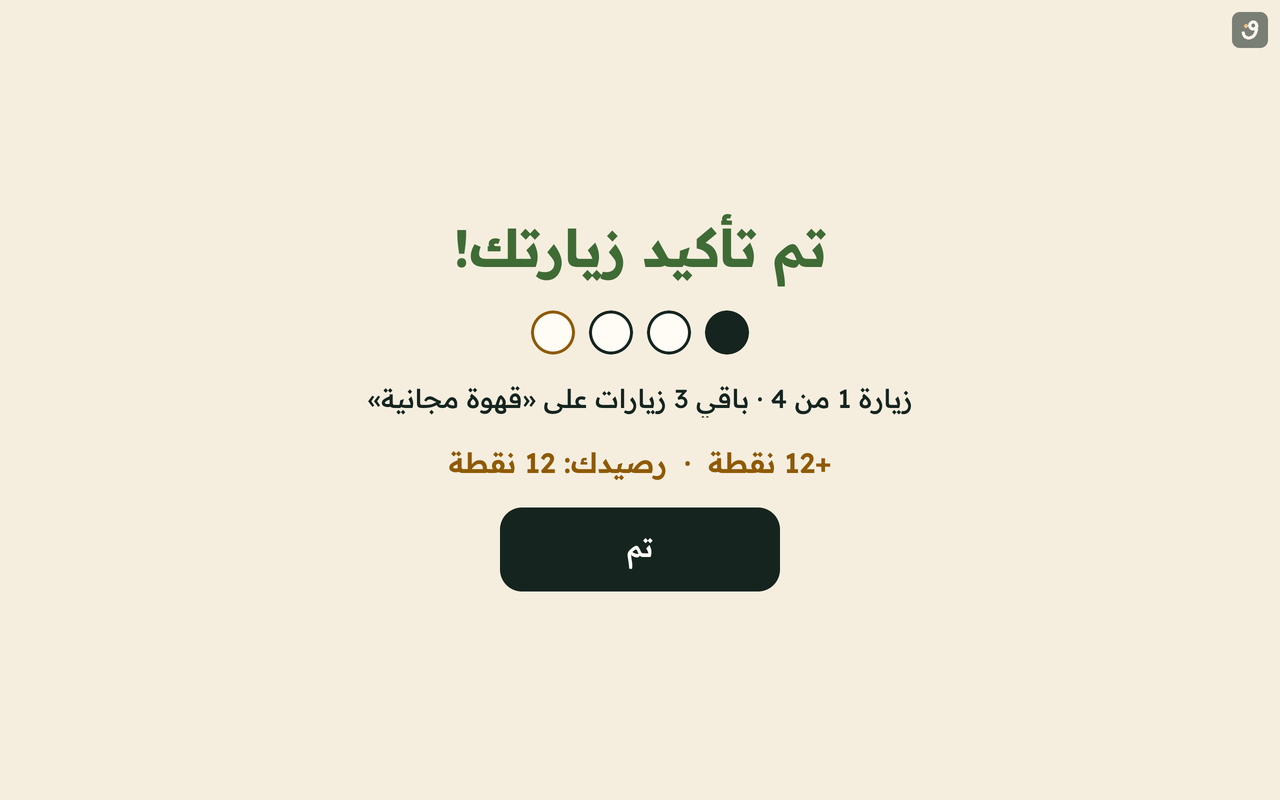
After a short idle period the screen clears, so the next person never sees the previous customer’s details.
Loyalty methods
The owner sets the rules and publishes them as a fixed version, so customers and staff know exactly what counts.
For example: your 4th visit is on us. The gift can land on that visit or the next one, and the cycle can repeat.
For example: 1 point per 1 JOD, with the rounding rule set up front: a 7.750 JOD bill earns 7 points when rounding down.
A small treat on the 3rd visit and a bigger one on the 10th. Up to ten milestones per programme, each gift with its own expiry.
If a customer shares their birthday, a gift is waiting during their birthday window. You can require a minimum number of visits first.
Gifts are never redeemed from the tablet. Staff check the customer’s name and redeem from their app, and it is logged.
Cashier approval & fraud protection
Loyalty programmes fail when they are easy to game. In Wafii, every reward passes through someone on your team.
No visit and no points until a cashier confirms in their app.
The same number cannot stack requests while one is waiting.
For example four hours between counted visits, and one counted visit per day by default. Both are adjustable.
If nobody acts within the minutes you choose, the request lapses on its own.
Redemption happens only in the staff app, with a name check.
Every confirmation, rejection, redemption and balance adjustment is logged with who and when.
Devices and requests are rate-limited to stop flooding and guessing.
Tablets pair to a branch with a time-limited code and can be unpaired instantly if lost or stolen.
The Wafii Business app
One phone app, three roles. Permissions are enforced on the server, not just hidden in the interface.
Everything: programme rules and publishing, campaign approval and sending, staff and branches, messaging providers, billing, the audit log, and customer data export.
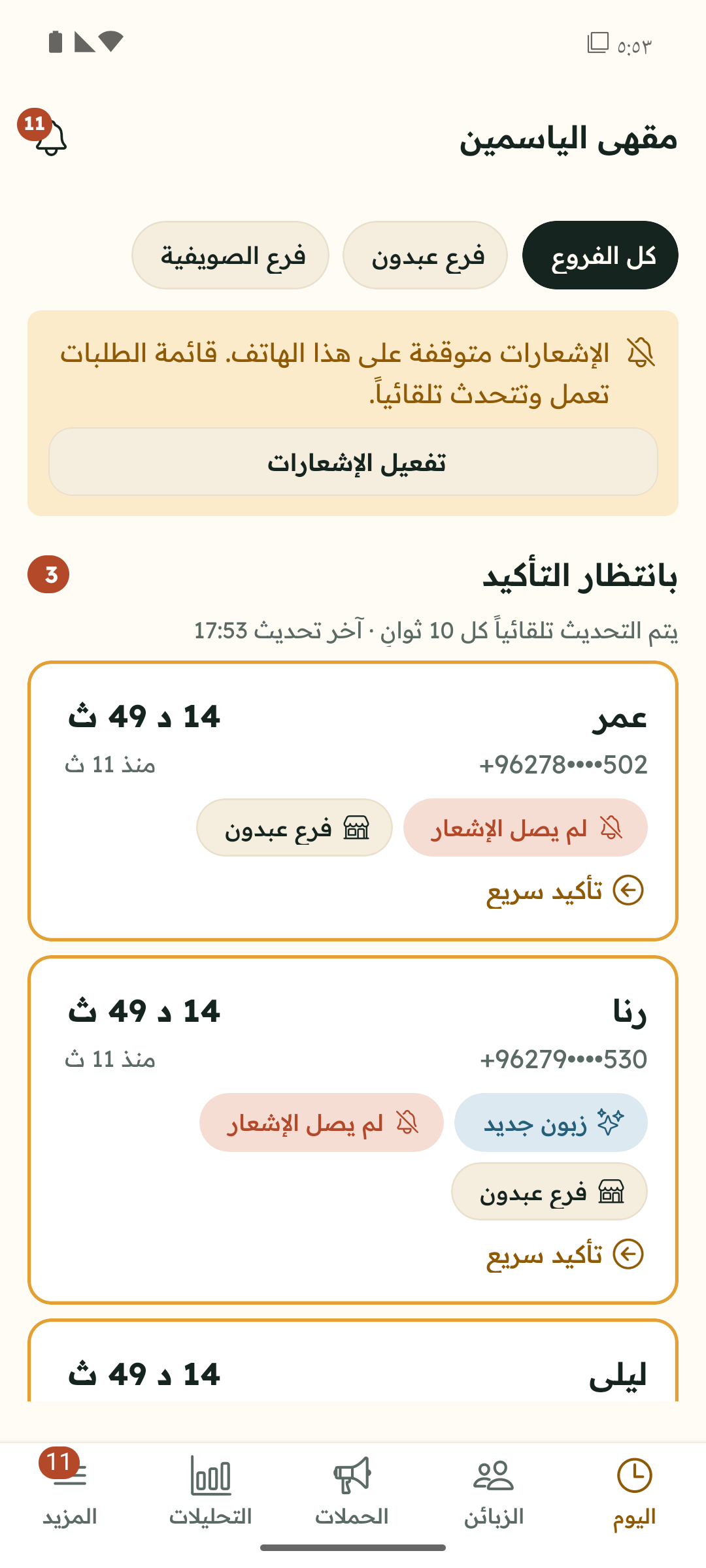
Only their assigned branches: confirmations, analytics, inviting cashiers and drafting campaigns. Campaigns wait for the owner’s approval.
Managers can’t see billing or the audit log, export customer data, or change the programme rules.
Fast confirm or reject, phone-number-only customer search, and gift redemption. Customer numbers are partly masked.
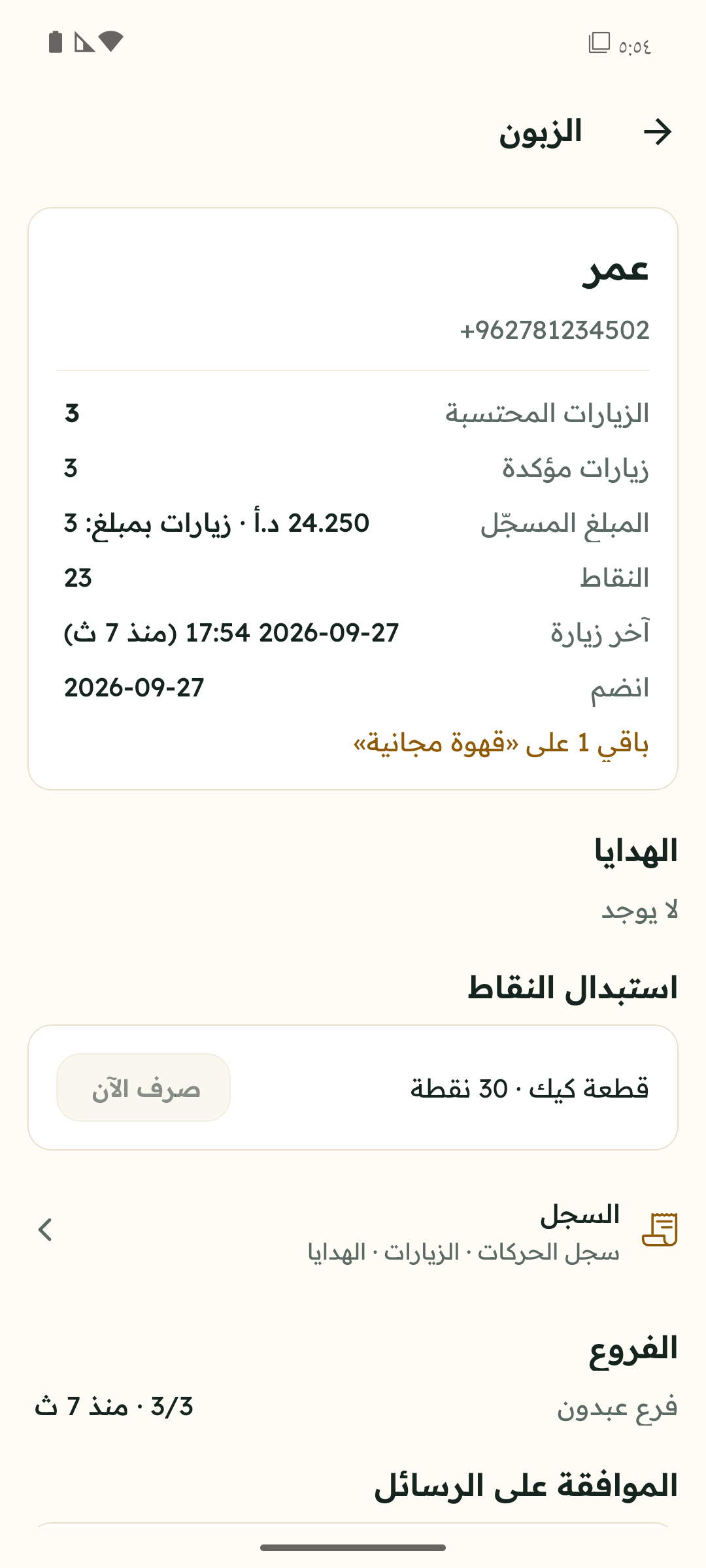
Segments & campaigns
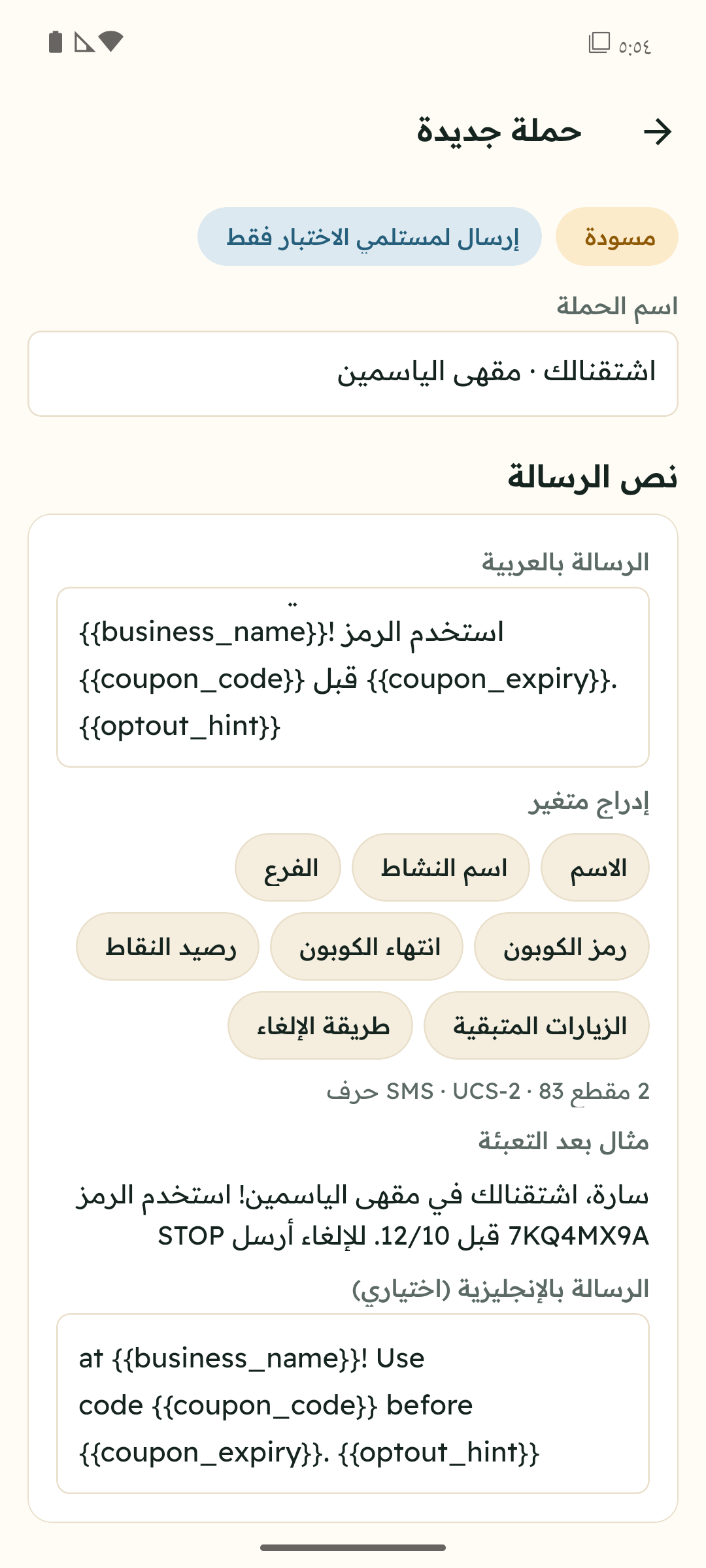
Start from a template, preview the audience before sending, and see the estimated cost first.
Honest analytics
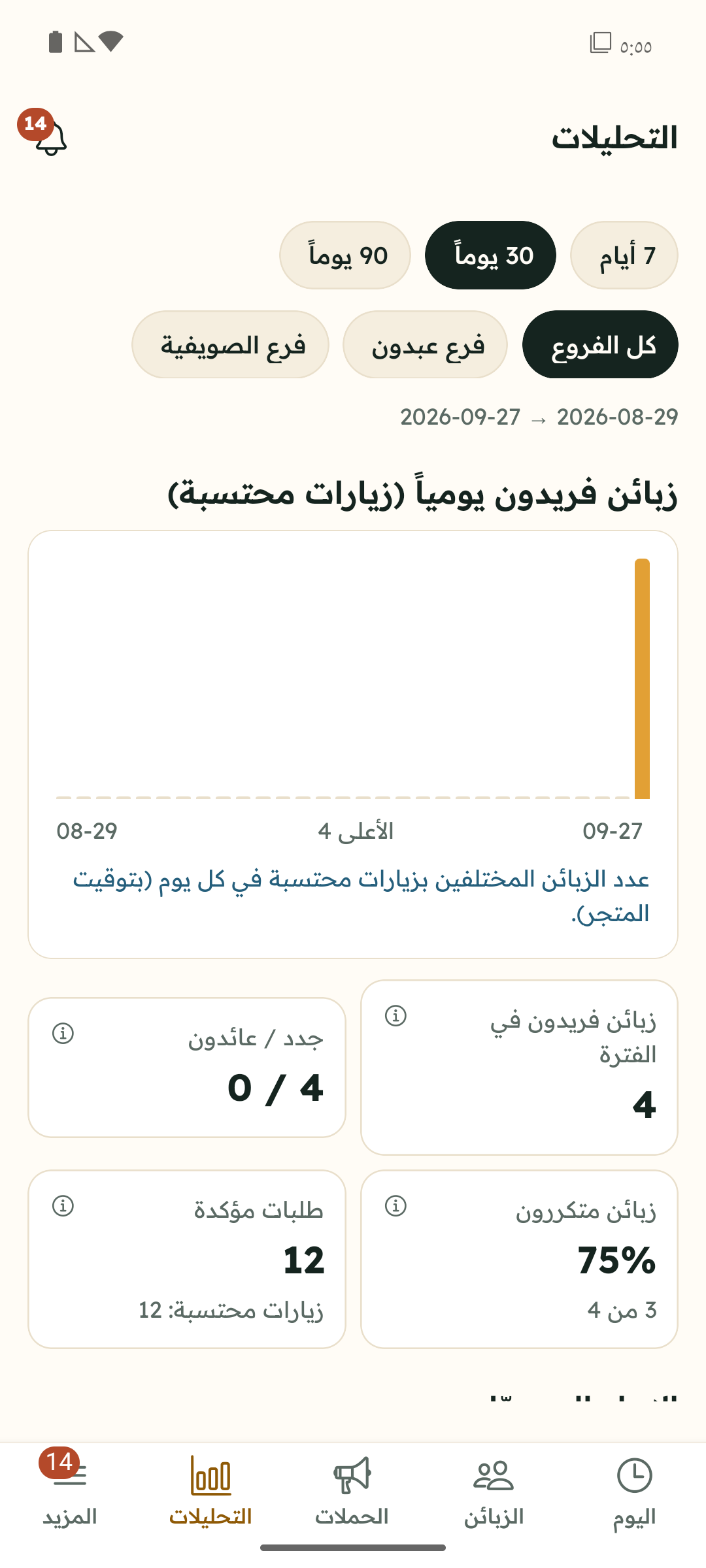
No percentage without its denominator, no revenue your staff didn’t enter, and no claim that a message “brought someone back” without evidence.
Onboarding & tablet setup
We help with your first setup. Most steps are done by the owner from their phone.
Name, category and contact details.
Address and opening hours. Each branch has its own devices and staff.
Visits, points or both — with milestones, gifts and the minimum time between visits.
Clear wording the customer sees on the tablet; the version is stored with every consent.
Managers or cashiers, via an invite link that opens in Wafii Business.
With a time-limited code from the branch settings.
On every cashier’s phone, so confirmation requests arrive instantly.
Your own account with the provider, if you want to send campaigns.
Check prices and limits, then switch the programme on for your customers.
Pricing
The prices below are current examples and can change; they are not a permanent promise. Your final price is confirmed in a written quote before you sign.
29 JOD per month
14-day free trial
Includes
500 JOD one-time
Includes 12 months of hosting, support and updates
After that: hosting & support at JOD 8 / month
Includes
A one-time license does not mean:
Prices exclude Jordan’s general sales tax, which is added where it applies.
Prices come from the Wafii catalogue at the time this page was built.
Hardware & messaging costs
You connect your own provider account and pay the provider directly. Wafii shows an estimate before sending; the actual invoice comes from the provider.
Security & customer privacy
Every server request is scoped to the business and branch; no business can see another’s data.
Joining includes agreeing to offers by SMS and WhatsApp; customers see it clearly and accept it, and we record the time and the exact text version.
Customers can stop messages at the counter tablet or by replying STOP; stopping means leaving the programme, while gifts already earned stay valid until they expire.
Your messaging provider keys are stored encrypted and never shown in full after saving.
On Cloudflare’s cloud infrastructure, which means outside Jordan. We say so plainly so you can decide with full information.
We are working towards compliance with Jordan’s Personal Data Protection Law No. 24 of 2023; legal review is still pending. We hold no compliance certification.
FAQ
A visit confirmed by a staff member that meets your programme’s rules: the minimum time between visits (4 hours by default), one counted visit per day by default, and a minimum bill if you set one.
Joining the programme means agreeing to receive offers and reminders by SMS and WhatsApp — that is what earns members their gifts and discounts. Customers accept it explicitly when they sign up, and we store the time and the exact text version. They can stop messages at any time, which means leaving the programme.
The tablet queues requests and sends them when the connection returns — but nothing is counted and no gift is issued until a staff member confirms while online.
Owner, manager and cashier. Managers work on their own branches and need owner approval for campaigns; cashiers confirm, reject and redeem, and see masked numbers.
WhatsApp through Meta’s official WhatsApp Cloud API; UltraMsg as an unofficial, QR-linked option that carries a risk of the number being banned; SMS through Twilio or Infobip; email through Resend or SendGrid. All of them require your own account with the provider, and these integrations are still being verified — none has been tested with live sending yet.
Yes. Each branch has its own devices and staff, and customers collect visits at any branch. Extra branches are an add-on to your plan.
Your business does. Wafii processes it on your behalf to run the programme; we don’t sell it or use it to market anyone else.
It depends on having the tablet ready and your terms written. The setup itself is usually short, and we plan it with you during the demo.
You can cancel under your contract terms. The owner can export customer data before leaving, and earned gifts stay redeemable during the wind-down period.
Request a demo
Leave your details and we’ll get in touch to book a short demo on a real device.
We’ll contact you soon on the number you gave. Request reference: